Contacts
Contacts are your own company's reference people — the person a reader of the report should call if they have a question about it. A work or project report configuration picks one, and that contact is printed in the sender block of the PDF, with name, phone and email. The employee and company reports name no contact — their sender block is the company profile alone.
Not the recipient
A contact is not who the report is sent to. The recipient of a work report comes from the bexio project itself (its company and person contact), not from this list.
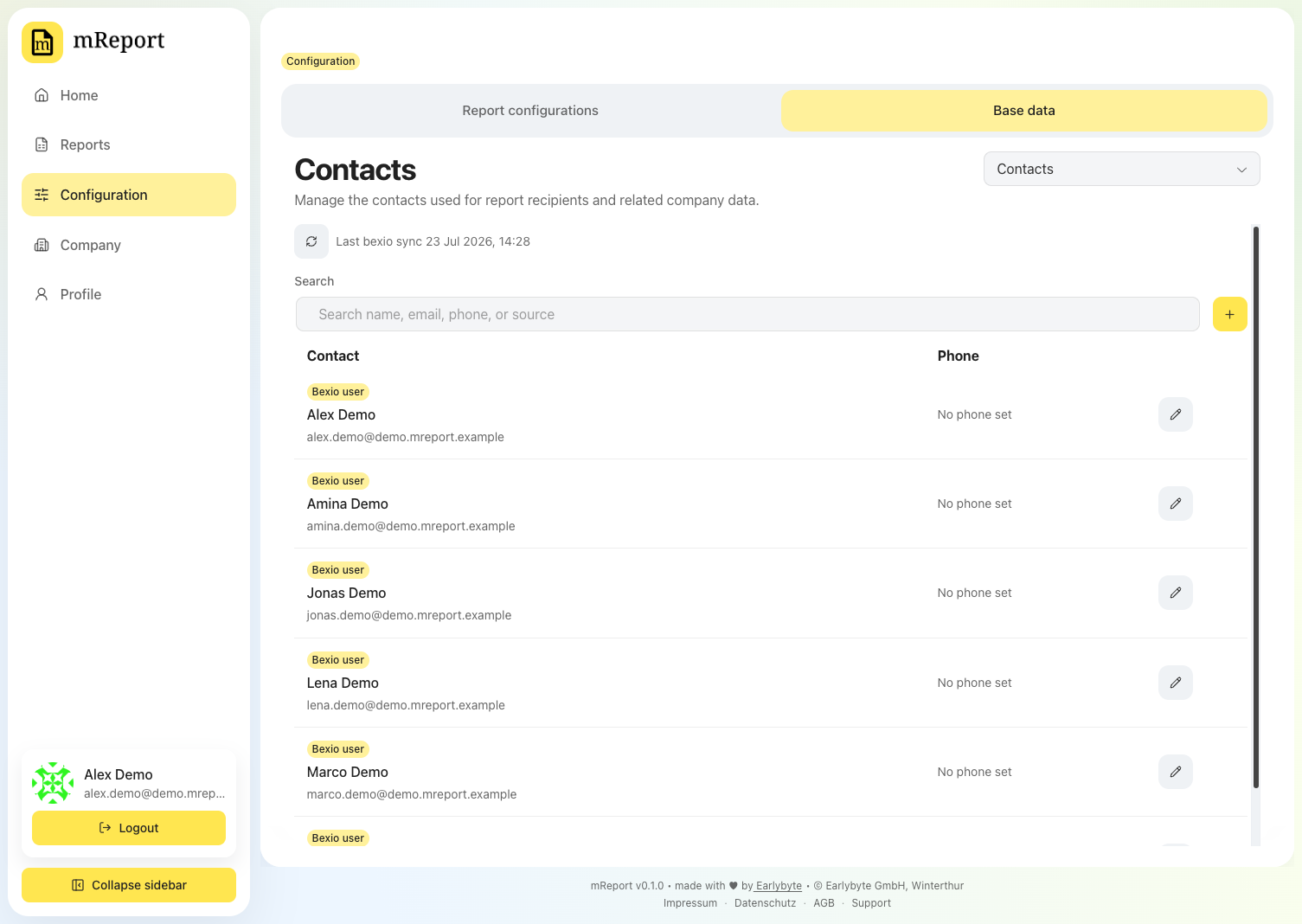
Two sources
| Type | Where it comes from | What you can edit |
|---|---|---|
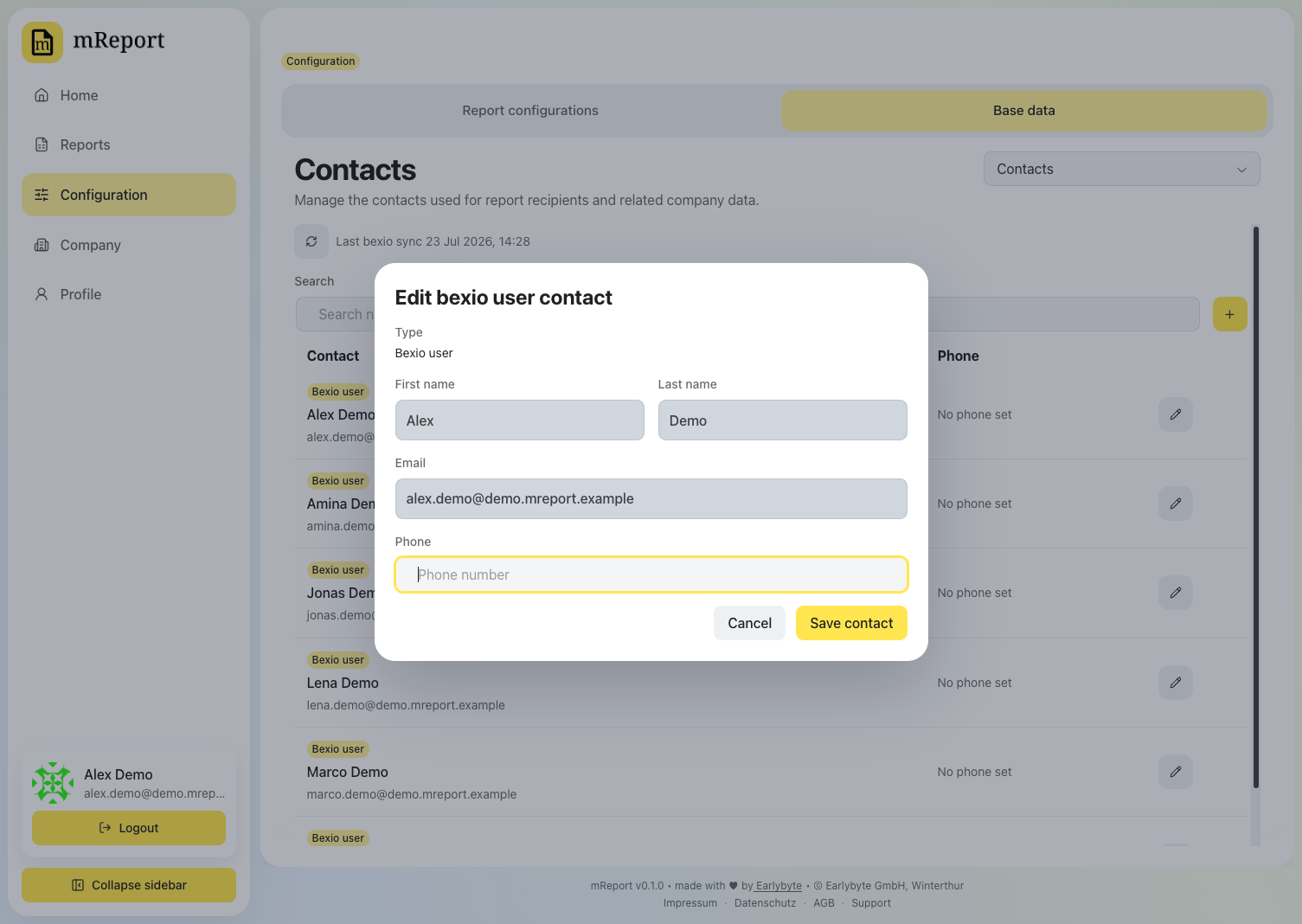
| bexio | Synced from your bexio users | Phone number only — name and email stay owned by bexio |
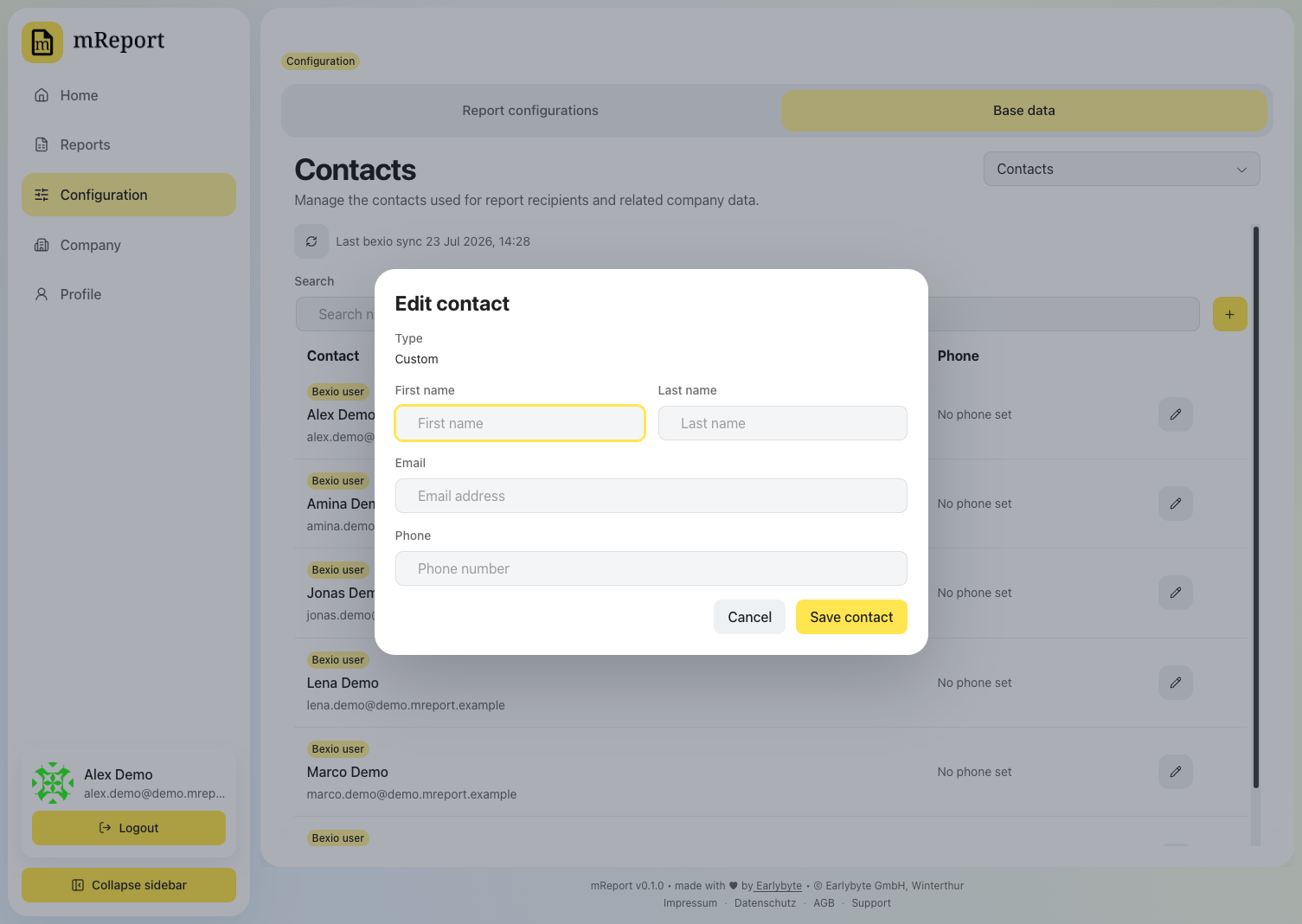
| Custom | Created here in mReport | Every field |
A bexio contact deliberately locks most fields: changing a name here would silently disagree with bexio on the next sync.
A custom contact is fully editable — use it for someone who should appear on reports but has no bexio login.
Controls
| Control | Effect |
|---|---|
| Edit | Opens the modal above. Esc closes, Enter saves |
| Add contact | Creates a Custom contact |
| Delete | Custom contacts only; bexio contacts disappear when the bexio user does |
Related
- Report configurations — where a contact is selected
- bexio data
- Company profile — the rest of the sender block