Project report configuration
Defines one project report.
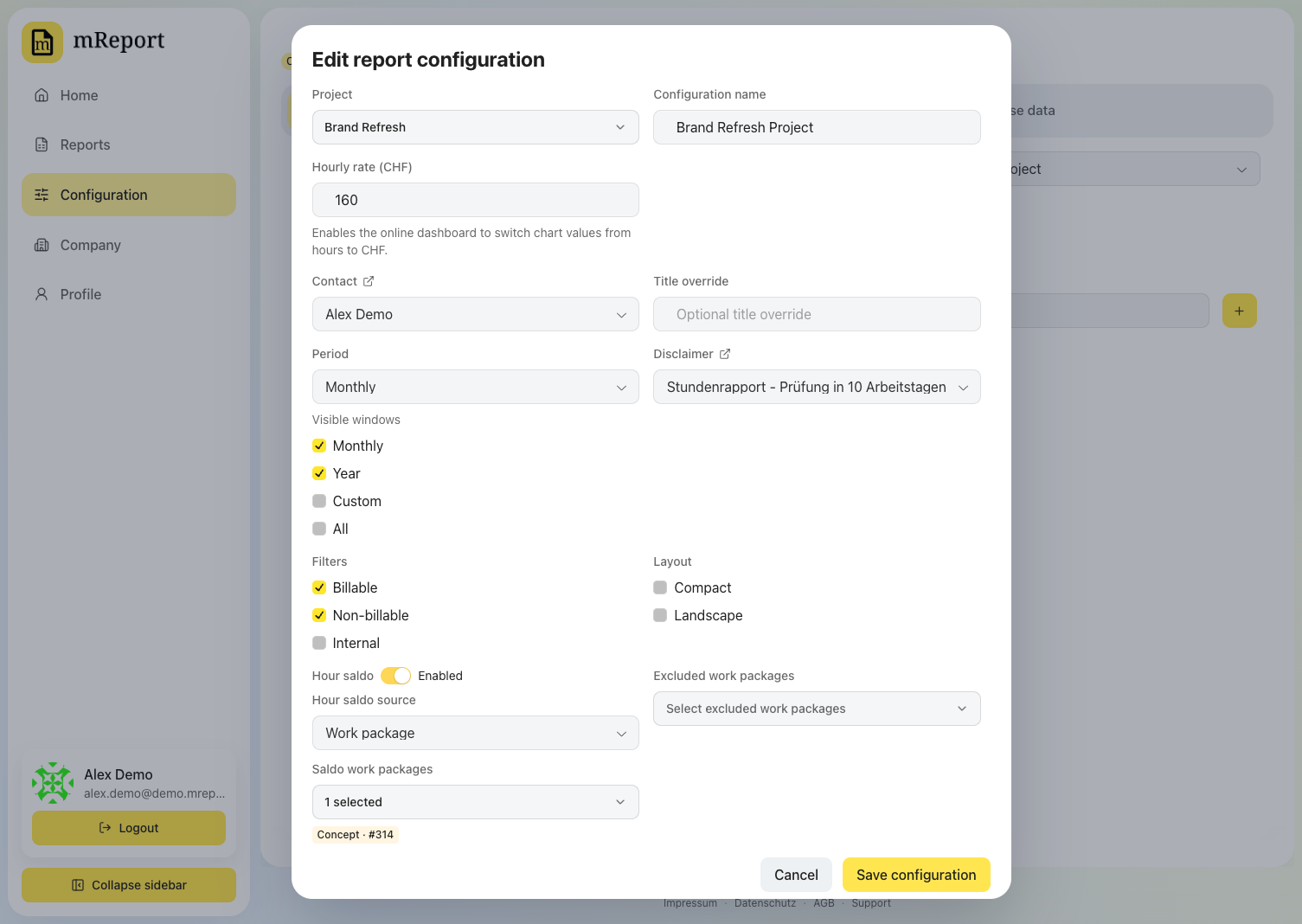 | Field | Effect |
|---|---|
| bexio project | The project the report measures. Its work packages and their estimates come from bexio |
| Configuration name | Shown in the report picker and printed as the report's title. Leave it empty to keep using the bexio project's name, so a renamed project carries through |
| Active | Off removes this report from the picker without deleting it |
| Client services | Only time booked under a selected client service counts — in the figures, the charts and the listed entries alike |
| Default view | What the dashboard opens on: a date the project is measured to (as of today, as of end of last quarter, …) or a period to highlight inside that same report (last quarter, this year, …) |
| Contact | The contact printed in the sender block of the PDF |
| Disclaimer | A disclaimer printed at the end of the PDF |
| PDF language | The language this report's PDF is written in. Workspace default follows the PDF layout setting; pick a language to pin this one report for a reader who does not share it |
| Field | Effect |
|---|---|
| bexio project | The project the report measures. Its work packages and their estimates come from bexio |
| Configuration name | Shown in the report picker and printed as the report's title. Leave it empty to keep using the bexio project's name, so a renamed project carries through |
| Active | Off removes this report from the picker without deleting it |
| Client services | Only time booked under a selected client service counts — in the figures, the charts and the listed entries alike |
| Default view | What the dashboard opens on: a date the project is measured to (as of today, as of end of last quarter, …) or a period to highlight inside that same report (last quarter, this year, …) |
| Contact | The contact printed in the sender block of the PDF |
| Disclaimer | A disclaimer printed at the end of the PDF |
| PDF language | The language this report's PDF is written in. Workspace default follows the PDF layout setting; pick a language to pin this one report for a reader who does not share it |
Budget
Optional. Off reports hours only.
| Field | Effect |
|---|---|
| Arrangement | Fixed price for the whole scope, or time and materials at an hourly rate |
| Fixed price (CHF) | The agreed price for the whole scope |
| Hourly rate (CHF) | The agreed rate every booked hour is billed at |
| Cost ceiling (CHF) | Optional, time and materials only. The maximum the project may bill. Leave it empty for an uncapped mandate — the report then shows the running total without a percentage |
| Change orders | Additions agreed after the original order. They raise the fixed price, or the cost ceiling, and keep the original amount visible beside the new total |
Sections
Which parts of the report are shown. Turning one off hides it in the dashboard and, where the section exists there, in the PDF.
| Section | Shows |
|---|---|
| Estimates | The progress against the bexio work-package estimates. Off reports hours only: no progress bar, no estimate columns |
| Work packages | One row per work package with the hours booked against its estimate |
| Employees | Hours per person on this project, and each person's share |
| Hour reportings | The individual bexio time entries the numbers are built from, narrowed to the highlighted period when one is selected. Dashboard only — the PDF never appends the entry list |
Views
A configuration does not fix how the report is read. Every date and every period is chosen in the report; this field only sets which one it opens on — useful for a report that is always read a quarter at a time. See project report → the two ways to read it.