Employee time
The rules that turn a calendar into expected hours: which days are working days, how long a working day is, how holidays count, and how vacation is recorded.
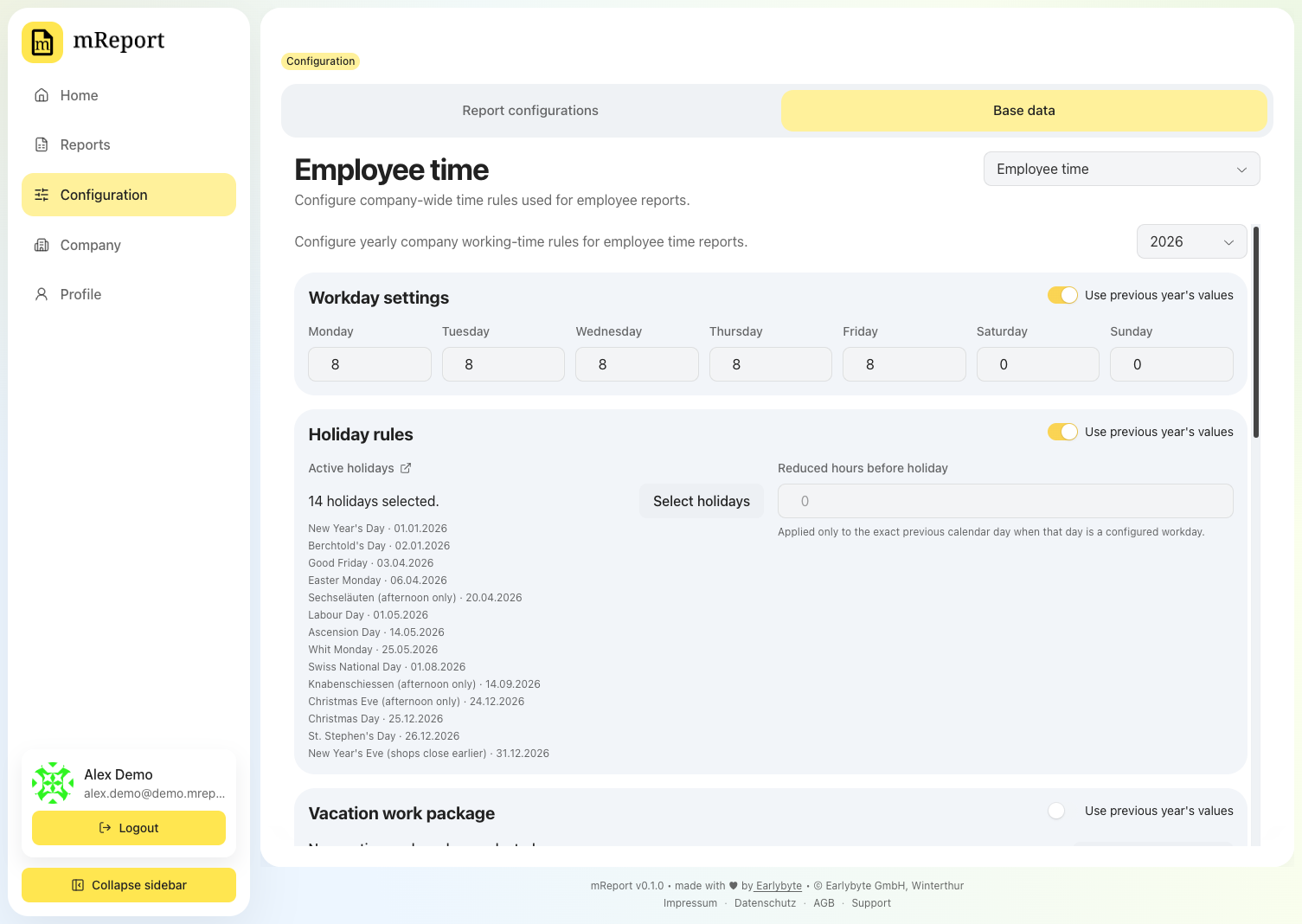
Rules are per year
Each year has its own set, because working-time rules change — a new part-time agreement, a different vacation entitlement.
Inheriting from the previous year
Use previous year's values links a section to the year before, so a change there flows forward. Switching it off copies the inherited values in as an editable starting point — it does not reset them to blank.
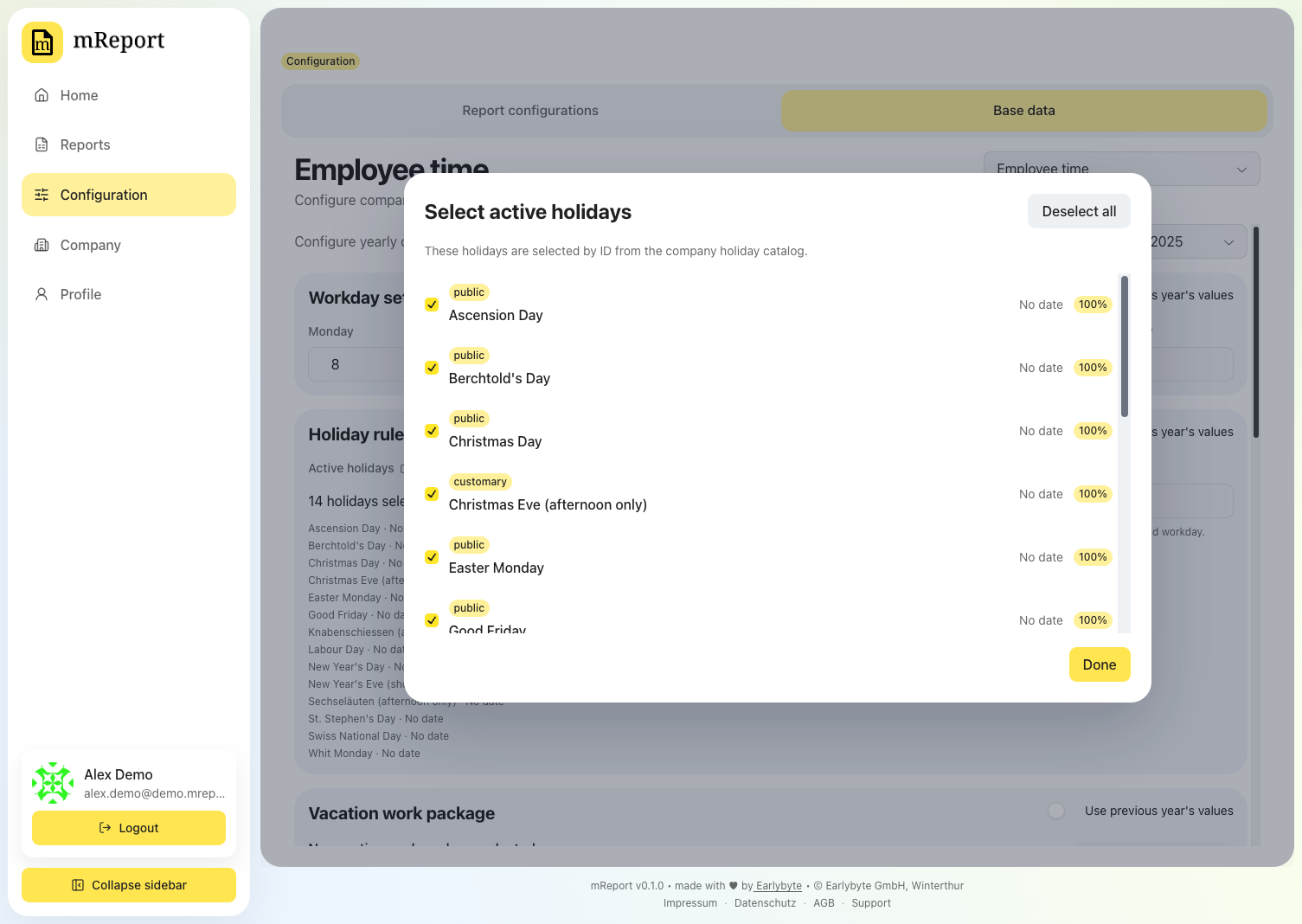
Active holidays
Which entries from holidays apply to this workspace.
Vacation
Vacation is recorded as time on a dedicated bexio work package, so it stays in one system. Pick which package counts as vacation:
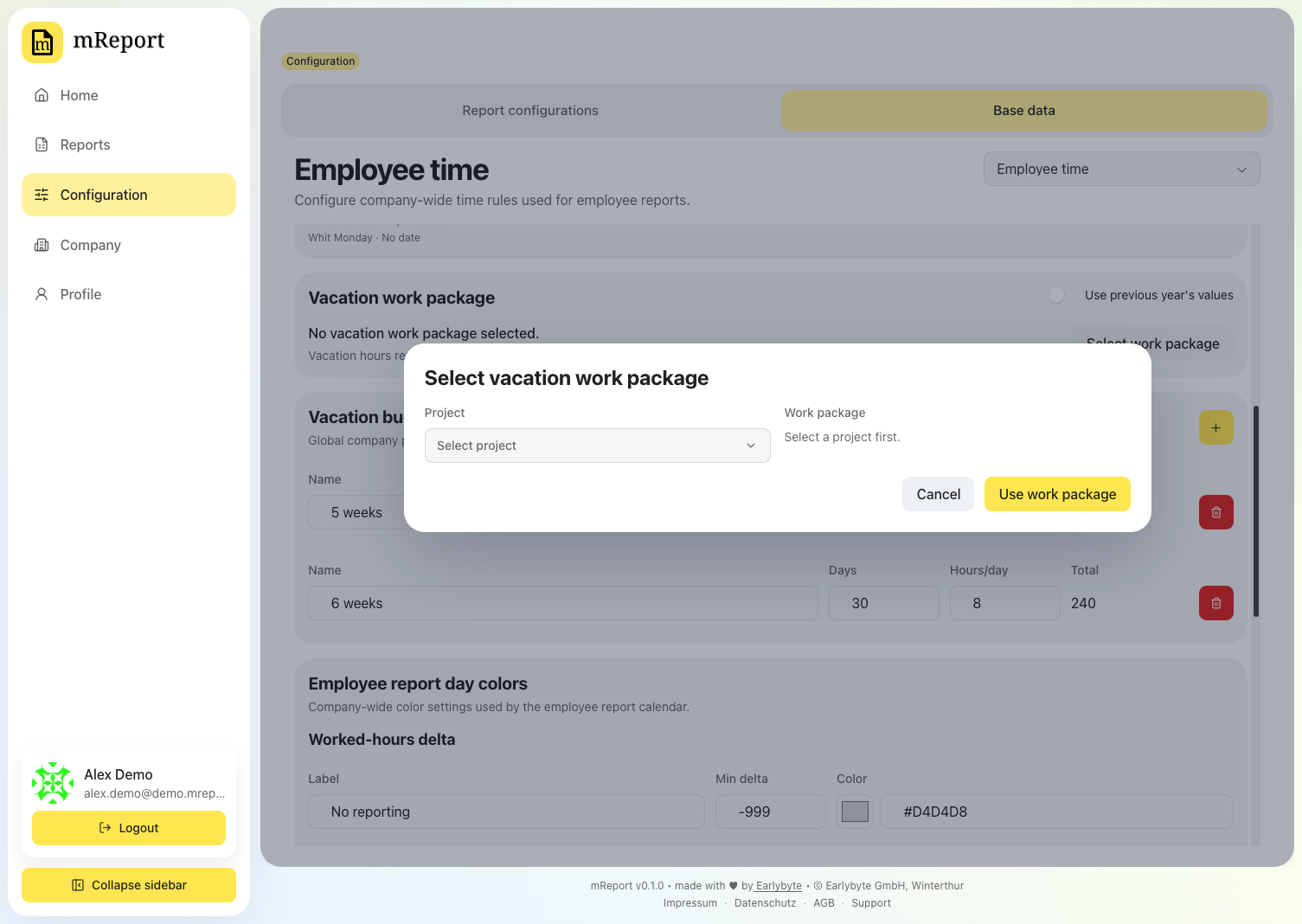
Best practice: point the whole team at one package
Create one project with one vacation work package per year — for example a project Absences with a work package Vacation 2026 — and let everyone book their vacation against it. Chosen here, it applies to every employee, and this is the only place it has to be set.
An individual can still override it in their own time dataset under employee report configuration. Worth doing only when someone genuinely books vacation somewhere else: an override is set per person, and since these rules are per year, it comes back every year.
Vacation entitlement stays personal either way. The package decides where days are booked, the entitlement how many someone gets.
Day colors
The colors the employee calendar uses for each degree of over- and under-time.
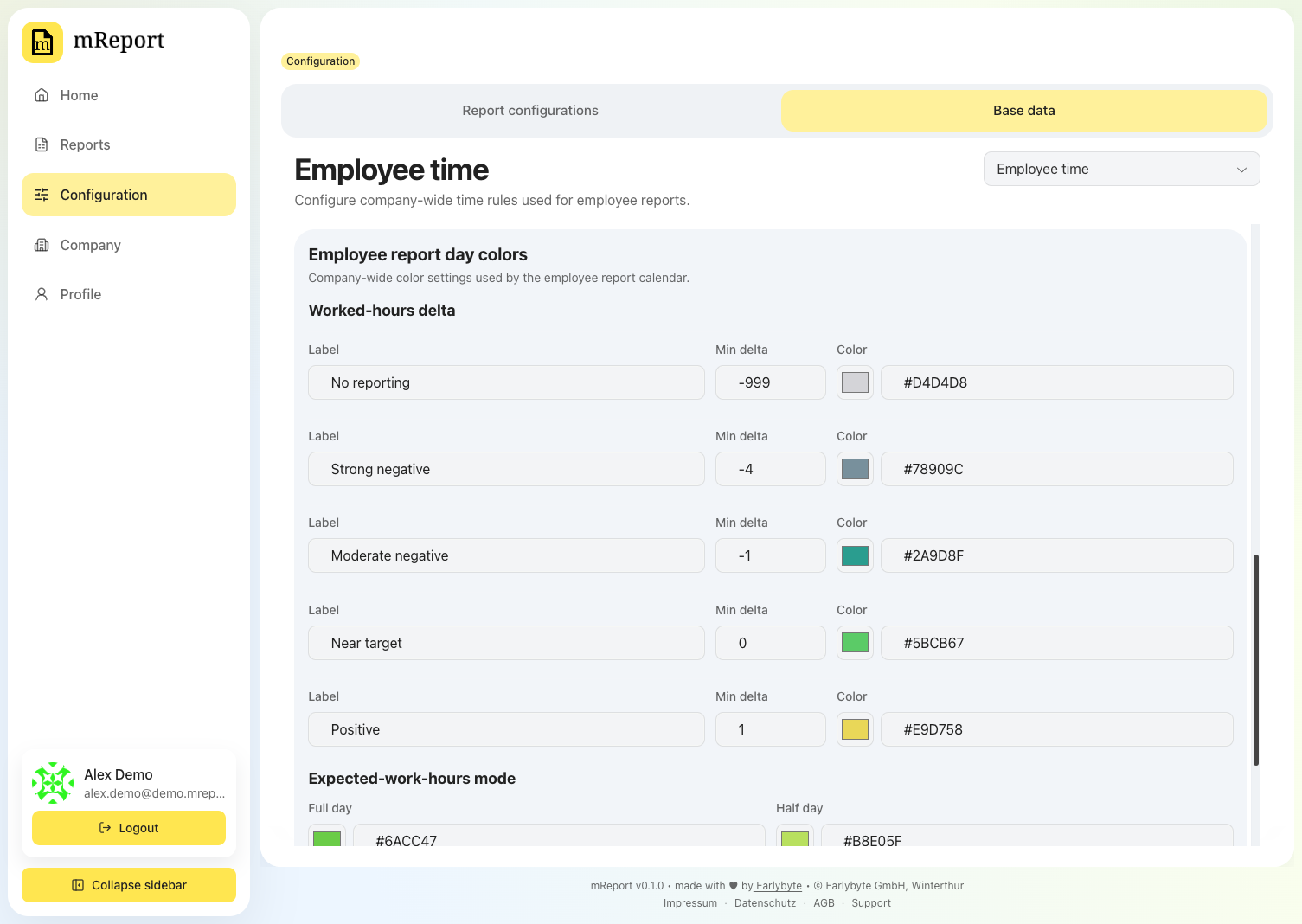
Worked-hours delta
Six fixed bands, from Below all bands to Strong positive. Their names are fixed because the name is what the color has to mean — you set where each band starts, in hours, and its color.
A band runs from its own value until the next band begins. The strip above the rows shows the result: each color with the range it covers.
Below all bands has no starting value, and its field is disabled. It is what every day further under target than the next band falls back to, so giving it a bound would leave those days with no color at all.
Each value is held inside the range its neighbours leave it — shown under the field, for example -3.75 to -0.25 h. A band that started below the one above it could never be reached, and its color would quietly disappear from the calendar, so a value outside the range is pulled back into it rather than accepted.
Expected-work-hours mode
The second mode colors each day by what was expected of it — full day, half day, non-working day, public holiday — rather than by hours worked. No reporting here means something different from the delta bands: it marks a day no employee time dataset covers, so it flags a configuration gap rather than a day someone under-booked.
Starting over
Reset to defaults puts both sections back to the shipped colors. It only changes the fields — nothing is stored until you press Save.
The current defaults are listed in chart colors.